Create domains and users
Info
Not an administrator? Please refer to the user documentation.
After purchasing a subscription, an administrator can navigate to the Manage console to start using Kopano Cloud services.
The administrator can add email domains to the account, by clicking on the blue button (top right).

Tip
On the your email domains page, click the hourglass icon to see domains that were previously created but not yet validated.
Info
The search in the Manage console is by default case insensitive and performs only a prefix search. To perform both a prefix and suffix search use * around your search term.
For example: *kopano*
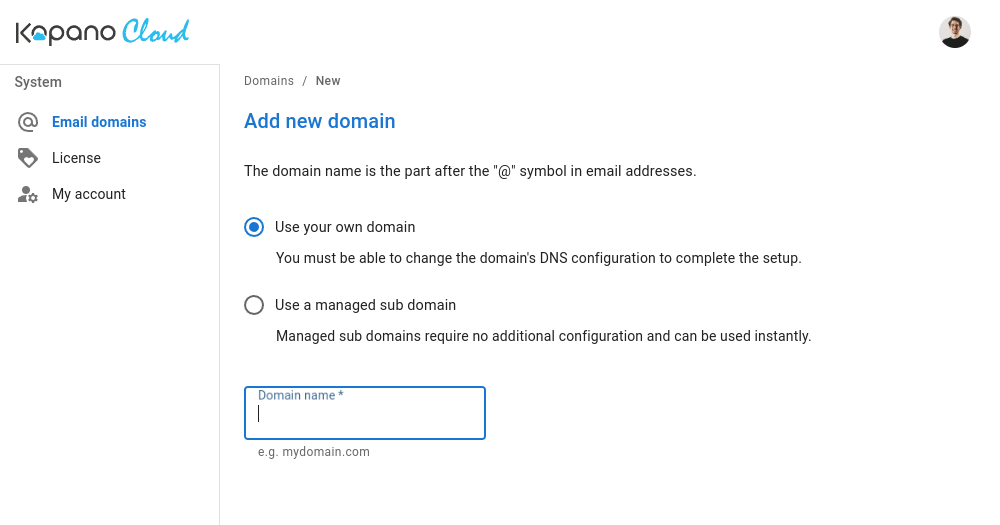
Administrators can choose to either configure their own domain:
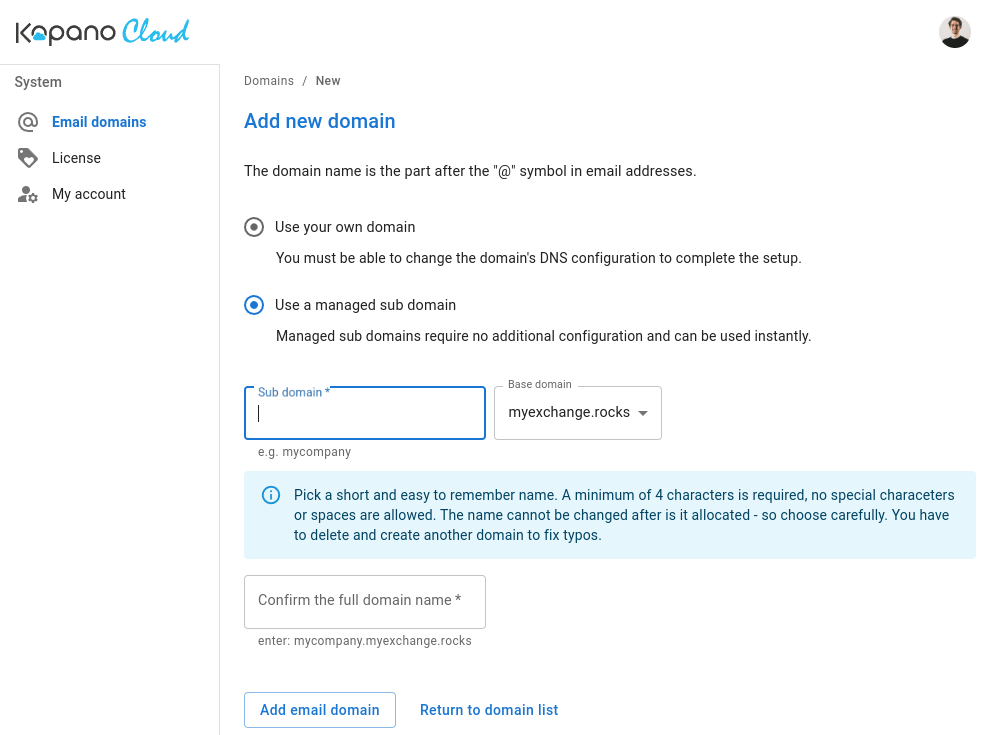
Or use a subdomain of a managed base domain:
Using your own domain
If you are using a custom domain, you will be required to verify ownership of the domain before users can be created.
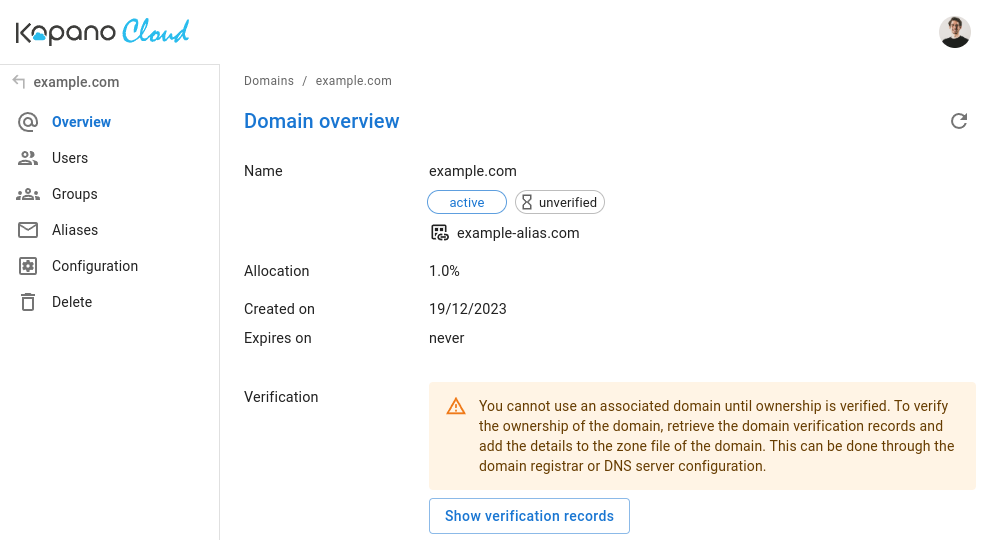
To verify a domain, follow the instructions displayed when you click
Configure DNS records
Warning
Verifying the domain only proves ownership. Until the records below are also set, the domain will not receive mail and clients will not be able to use Autodiscover.
Add the following records at your DNS provider. They are also listed under the DNS settings section of the domain in the Manage console.
| Type | Name | Priority | Weight | Port | Content | TTL |
|---|---|---|---|---|---|---|
| MX | @ | 0 | mail.protection.myexchange.rocks |
3600 | ||
| TXT | @ | v=spf1 include:spf.protection.myexchange.rocks -all |
3600 | |||
| CNAME | autodiscover | adsredir.myexchange.rocks |
3600 | |||
| SRV | _autodiscover._tcp | 0 | 0 | 443 | autodiscover.myexchange.rocks |
3600 |
Tip
DNS changes can take time to propagate. If clients fail Autodiscover right after adding records, wait for TTL expiry before troubleshooting further.
Creating users
Once the domain has been verified, new users can be added.

What next?
Once users have been added, they are ready to be used. Please refer to the user documentation, for more information on how to connect users to their email accounts.
How many Domains and Aliases can I create?
We calculate the amount of domains and aliases an admin can create based on the amount of mailboxes that have been subscribed to.
| Subscribed mailboxes | Max Domains | Max Aliases formula | Example |
|---|---|---|---|
| 1–9 | 2 | users × 2 + 20 |
1→22, 9→38 |
| 10–49 | 3 | users × 2 + 30 |
10→50, 49→128 |
| 50–99 | 4 | users × 3 + 40 |
50→190, 99→337 |
| 100–199 | 5 | users × 3 + 50 |
100→350, 199→647 |
| 200–299 | 6 | users × 3 + 60 |
200→660, 299→957 |
| n ≥ 50 | 4 + n÷100 |
n × 3 + 10 × (4 + n÷100) |
In case more domains or aliases are required please reach out to our support.
Can I create an alias on a different domain?
A regular alias must live on the same domain as its target mailbox. To have a mailbox reachable under an address on a different domain, create a group on that domain with the mailbox as its only member. In the group's settings, enable external senders and set it to allow members to send as the group.